How do I log blood pressure by voice?
Hold the floating button, which sits on every screen, and say the reading the way you would say it to a nurse: “blood pressure 128 over 82”. There is no form, no category to choose and nothing to confirm before it saves. A long-press records immediately, so the whole thing takes a few seconds, which is roughly how long you will tolerate when you have just sat down with a cuff on your arm.
Your voice is turned into text on the phone itself and the audio is never uploaded. Only the text of what you said goes to an AI model, which sorts it into an entry. It receives no name, no email and no account, and it keeps nothing afterwards.
People tend to say more than the numbers, and that is fine. These are all sentences someone might actually say:
- “Blood pressure 138 over 88, left arm, after coffee.”
- “BP this morning 121 over 77, pulse 64.”
- “Evening reading, one forty-two over ninety, feeling a bit headachy.”
- “Yesterday at about six, 125 over 80.”
The last one shows how time works. If you name a time, Sayved keeps your exact words (“yesterday at about six”) and also resolves them to a date and hour. If you name nothing, the entry is stamped with now.
What exactly gets stored for a blood pressure entry?
A blood pressure reading is a health entry, and the reading itself lives in a measurements row with five fields: a name (“blood pressure”), the first value, the second value for the bottom number, the unit (mmHg), and a confidence. That is all the app claims about it. The two numbers are stored as separate values rather than as text like “128/82”, so they can be searched and listed as numbers later.
Around the reading, an entry can also hold:
- Time, as you said it and as resolved. Sayved also records how precise the time was: an exact clock time, part of a day, or just a date.
- A one-line summary, written neutrally, with no praise or concern.
- Pulse, when you mention it, as its own reading in beats per minute.
- Notes, for anything you said that has no field of its own: which arm, after a walk, before your tablet.
- A symptom, if you mention one in the same breath, such as a headache. Sayved may file that as a separate entry, because one sentence can produce more than one.
Nothing else is invented. If you never said your pulse, there is no pulse. If you were vague, the confidence on the reading is lowered rather than filled with a guess, and you can edit any value afterwards. Your correction is stored separately from what the model first read, so nothing is lost.
How does a blood pressure entry show up in Sayved?
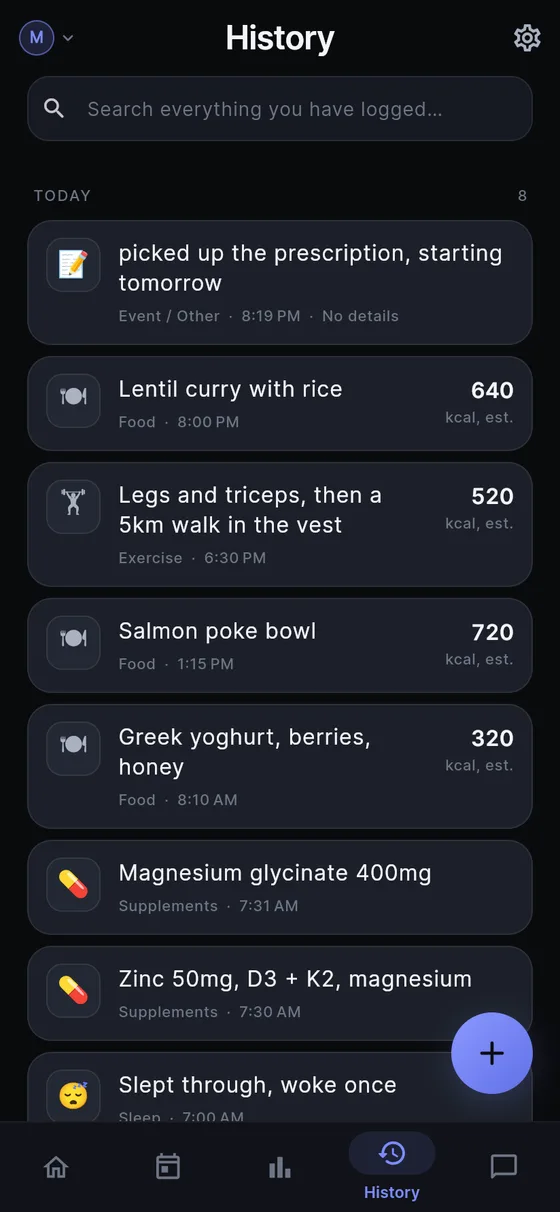
History lists it with the other things you logged, newest first, and the search box finds it by typing “blood pressure” or part of a note. Today counts it among the day’s entries. It does not turn a reading into a score, a dial or a coloured badge.
Ask is where a log of readings earns its keep. You can type or say “what were my blood pressure readings in September?” or “what was my last reading before I changed my tablets?”, and the answer is built only from your own entries. Only the few rows needed to answer are sent, never the whole history. Sayved will not volunteer a trend or point out a pattern you did not ask about. See asking your health history for how that works.
The doctor report is the other main use. You choose the person, the categories and a date range, and Sayved produces a printable record. A page of dated readings with the notes you attached (“after coffee”, “left arm”) is a better prompt for a conversation than “it’s been a bit up and down”. More on that in the doctor visit report and before a doctor appointment.
If you keep a medicine list next to your readings, the medication log uses the same capture, so “took my morning tablet” and “128 over 82” sit side by side on the same timeline.
Is my blood pressure data private?
Health entries are sensitivity tier 2. In practice that means two things. They never appear in the Android home-screen widget, in a notification or in a lock-screen preview. A reading will not light up your lock screen. Any export or report that could include them asks you each time whether to include sensitive categories, so a share is never a side effect.
Your log lives on your phone, and each person in the household has their own separate log file, so a parent’s readings never sit in a child’s log. If you look after a parent, see caring for an elderly parent for how a separate profile works.
You can export everything as CSV or delete everything from the device at any time, and what you have logged stays readable, searchable and exportable even if you stop subscribing.
What are the limits of a voice blood pressure diary?
The honest ones. Sayved writes down what you tell it. It has no sensor, so a mis-heard number or a mis-read cuff is only as good as the sentence you gave it, and you can tap any value to correct it. Speech recognition can stumble on “one oh five over sixty”, so a glance at the saved card after a long day is worth the second. You can also type it in if speaking is awkward.
It also does not judge. There is no “normal range” shading, no warning and no target. Sayved is the notebook, not the clinician. Pricing is simple: 14 days free, then $2.99/month for AI reading of voice, photos and Ask; typing entries keeps working after that, and everything already logged stays readable free, forever. For the wider picture of what Sayved keeps, see the voice health journal and the symptom diary.
 Sayved