What is a medication log, and what is this one?
A medication log is a dated list of what was taken: the name, the dose and the time. People keep one for themselves, for a child, or for a parent they look after, mostly so they can answer one question later: “What exactly was taken, and when?”
Sayved is that and nothing more. It is a record. It does not tell you what to take, when to take it, whether a dose is right or whether something is safe. It will not warn, congratulate or comment. If a medicine question comes up, it belongs with a doctor or pharmacist, and the log is simply something you can show them. Please also read the medical disclaimer.
What do I say to log a dose?
Say it as you would write it on the back of an envelope:
- “Took 500 milligrams of paracetamol at two, for the headache.”
- “Gave Maya the 5 millilitres of ibuprofen syrup, about half past seven.”
- “Mum had her blood pressure tablet and the water tablet this morning.”
- “Inhaler, two puffs, before the run.”
- “Antibiotic, first dose of the course, 250 milligrams.”
Each medicine in a sentence becomes its own entry, so the third example would be two entries. The reason you gave, such as “for the headache”, stays in your own words on the entry, because it is part of what you said. Speech is converted to text on your phone, and the audio is not uploaded.
You can also photograph the box or label, or scan the pharmacy paper or prescription as a document. See scan medical documents.
Exactly which fields get stored?
A medication entry stores:
- Name of the medicine, as you said it or as read from the label.
- Dose as a number and unit (mg, mcg, ml, puffs, tablets, and so on).
- Time the dose was taken, defaulting to when you logged it and editable.
- Confidence that the reading matches what you meant.
- Your original words, kept verbatim, plus the photo if you used one.
- The person the log belongs to, through the profile it sits in.
Everything can be edited, and your correction is stored beside the original reading rather than over it. The one fix worth making a habit of is the unit, because “5 milligrams” and “5 millilitres” are very different things on the page. Deleting an entry deletes it from the device for real.
Whose log is it, and who can see it?
Each person gets a separate profile, and each profile is a separate private log file on your phone. A column in a shared table was deliberately avoided: it means a child’s medication cannot appear in an adult’s report by mistake. One subscription on a device covers the household. Setting it up for a parent is described in caring for an elderly parent, and the wider feature is on the family health tracker page.
Medication is treated as a sensitive category. It is never shown in the Android home-screen widget, in a notification or in a lock-screen preview. Any export, share or report offers a safe mode that leaves it out, and it is left out by default. When you do want it in, for example to give to a doctor, you choose it yourself, and sensitive categories are asked about on every export.
Your log lives on your phone. To read a photo or a sentence, a downscaled copy or the text is sent to an AI model, with no name, email or account attached, and nothing is kept on our servers.
How does it show in Today, Reports, Ask and the doctor report?
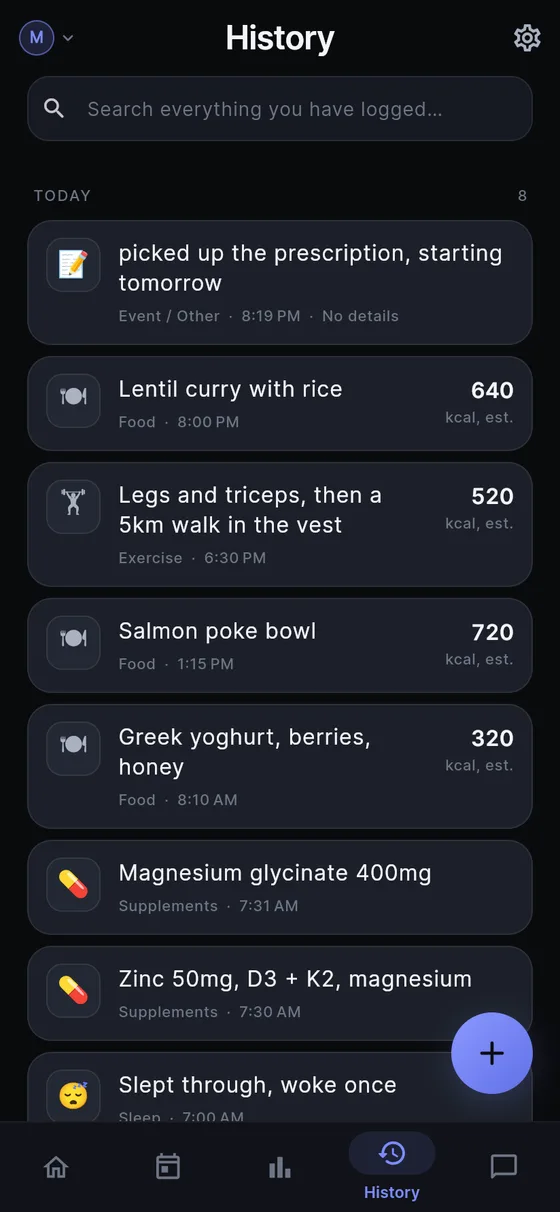
- Today and History list each dose with its time.
- Reports has a roll-up of supplements and medication with their doses over a week up to all time. It describes what was logged and does not compare it with anything.
- Ask answers from your own entries, when you ask: “What was Dad taking in March?”, “When did the antibiotic course start?” or “How many doses of ibuprofen did I log last week?” Sayved only sends the rows needed for the answer and never volunteers observations. See ask your health history.
- Doctor report is a printable, dated report for a chosen person, categories and date range. Medication is the section most often wanted, and it is the use that turns a record into something useful at an appointment. See health report for doctor.
Can it remind me?
Only if you ask. Reminders are off by default. You write the words and choose the times, they stay silent if you have already logged the dose, and they never say that you missed one. Remember that this is a nudge you set up, not a dosing schedule. Follow the instructions you were given by your prescriber or pharmacist, not this app. The mechanism is on the one-tap routines page, where a regular dose can be saved so that one tap logs it.
What are the honest limits?
Sayved is not a safety tool. It does not check doses, flag interactions or tell you what to do. It only knows what you tell it, so a forgotten dose is a gap in the record, and a misheard unit stays wrong until you edit it. It is not a substitute for a pharmacist’s advice or a prescriber’s instructions.
The AI reading of voice and photos is part of Sayved Pro: 14 days free, then $2.99 a month. If you stop paying, everything you logged stays readable, searchable and exportable free forever, and typing keeps working. See pricing for the details. For vitamins and sports supplements, which are filed separately, see the supplement tracker.
 Sayved